
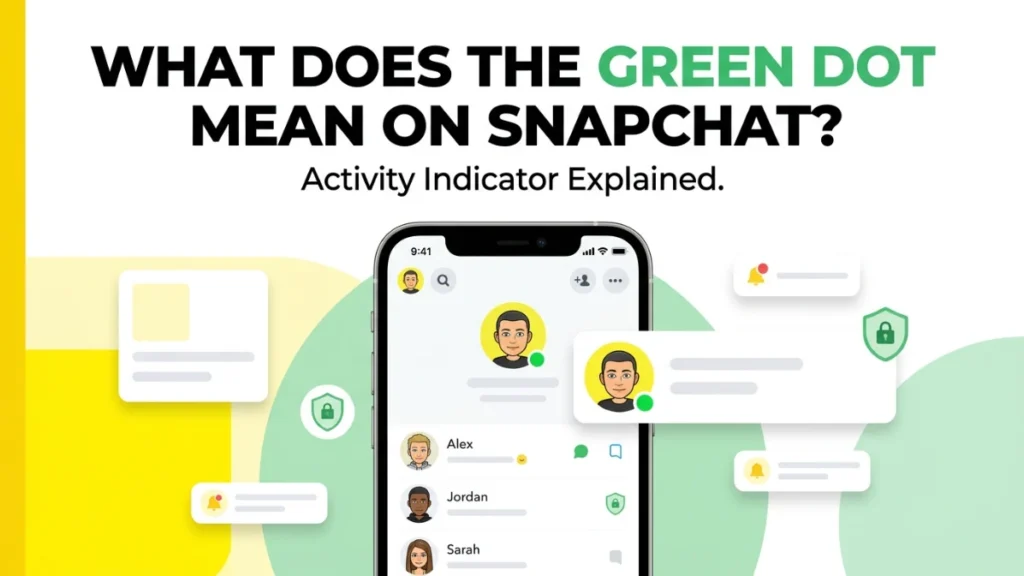

Seeing a small green dot on Snapchat can quickly make you wonder if someone is online, ignoring your message, or checking the app right now. The truth is simpler: according to Snapchat’s Activity Indicator, the green dot shows that a friend has been active on Snapchat recently.
It does not always mean they are online at that exact moment or that they opened your chat. In this guide, we’ll explain what the green dot means, where it appears, how accurate it is, and how to turn it off if you want more privacy without overthinking every status signal again today.
What Does the Green Dot Mean on Snapchat?
The green dot on Snapchat means that a person has been active on Snapchat recently. It usually appears near a friend’s avatar, Bitmoji, or profile area and is part of Snapchat’s Activity Indicator feature.
In simple words, the green dot is Snapchat’s way of saying:
This person has used Snapchat recently.
However, it does not always mean the person is chatting with someone right now. It also does not prove they are ignoring your message. It only shows recent activity on the app.
Many Snapchat users search for this symbol because it can feel confusing. You may see a green dot next to someone’s profile and wonder if they are online, if they opened your chat, or if they are currently using the app. The answer is simple: the green dot shows recent Snapchat activity, but it should not be treated as a perfect live-status tracker.
Quick Answer: Snapchat Green Dot Meaning
The green dot on Snapchat means the user has been active on Snapchat recently.
- It is called the Activity Indicator.
- It may appear on a friend’s avatar or profile area.
- It does not always mean they are online at that exact second, and it does not mean they are currently chatting with someone.
What Is the Snapchat Activity Indicator?
The Activity Indicator is the Snapchat feature behind the green dot. It helps users see when someone has recently used the app.
This feature is similar to activity indicators on other social media apps. For example, some apps show a green circle, active status, or “active now” label when someone has recently used the platform.
On Snapchat, the green dot gives a small signal that a person has opened or used Snapchat recently. It is meant to encourage interaction, such as sending a Snap, starting a chat, or checking a friend’s profile.
Does the Green Dot Mean Someone Is Online Right Now?
Not always.
The green dot means the person has been active recently, but it does not always confirm that they are online at that exact moment. Someone may have opened Snapchat a short time ago, then closed the app. In that case, the green dot may still appear for a while.
This is important because many people misunderstand the Snapchat green dot. They see it and assume:
- The person is online right now.
- The person is ignoring their message.
- The person is chatting with someone else.
- The person saw their Snap but chose not to reply.
These assumptions are not always true. The green dot only shows recent activity. It does not tell you exactly what the person is doing on Snapchat.
Where Does the Green Dot Appear on Snapchat?
The green dot can appear near a person’s avatar, Bitmoji, or profile-related area. You may notice it while viewing friends, suggested users, or profile sections inside the app.
It is usually a small green circle. Because it is small, many users notice it suddenly and wonder what changed.
You may see the green dot:
- Near a friend’s avatar
- Near someone’s Bitmoji
- On profile areas
- In friend-related sections
- In places where Snapchat shows user activity signals
The exact placement can change slightly depending on app updates, device type, and Snapchat version.
Does the Green Dot Mean Someone Opened My Chat?
No, the green dot does not directly mean someone opened your chat.
If someone opens your chat, Snapchat usually shows separate chat indicators, such as opened icons, delivered status, or read-related signals. The green dot is different. It only suggests recent activity on Snapchat.
For example, someone may have opened Snapchat to view Stories, use the camera, check Spotlight, or message another friend. The green dot does not tell you which action they performed.
So, if you see a green dot near someone’s profile, do not automatically assume they opened your chat.
Does the Green Dot Mean Someone Is Ignoring Me?
No, the green dot does not prove that someone is ignoring you.
This is one of the biggest misunderstandings about the Snapchat green dot. A person may be active on Snapchat for many reasons. They may have opened the app quickly, checked a notification, watched a Story, or used the camera.
They may also be busy, distracted, or not ready to reply. The green dot does not show their intention.
If someone has not replied to your message, the green dot alone is not enough proof that they are ignoring you.
Is the Snapchat Green Dot Accurate?
The green dot is useful, but it should not be treated as perfectly exact. Shows recent activity, but it does not give a full picture of what someone is doing.
It does not tell you:
- The exact time they opened Snapchat
- Whether they are still online
- Whether they read your message
- Whether they are chatting with someone
- Whether they viewed your Story
- Whether they are ignoring you
It only gives a general activity signal.
Why Did Snapchat Add the Green Dot?
Snapchat likely uses the green dot to make the app feel more active and social. When users see that a friend has recently been active, they may be more likely to send a Snap or start a conversation.
Activity indicators can make social apps feel more alive. They help users know when friends may be available. But they can also create confusion when people read too much into them.
That is why it is important to understand what the green dot really means and what it does not mean.
Can You Turn Off the Green Dot on Snapchat?
Yes, Snapchat lets users turn off the Activity Indicator. If you turn it off, other people should not see the green dot that shows your recent activity.
This is helpful if you want more privacy and do not want friends to know when you have recently used Snapchat.
How to Turn Off the Green Dot on Snapchat
To turn off the green dot on Snapchat, follow these steps:
- Open Snapchat.
- Go to your Profile screen.
- Tap the gear icon to open Settings.
- Scroll to the App & Privacy section.
- Tap My Privacy & Data.
- Look for Activity Indicator.
- Toggle Activity Indicator off.
After this, your recent activity indicator should be disabled.
Should You Turn Off the Snapchat Green Dot?
You may want to turn off the green dot if you prefer privacy. Some people do not like others knowing when they were recently active. Others feel pressure to reply quickly when friends can see activity signals.
Turning it off can help if:
- You want more privacy.
- You do not want people tracking your activity.
- You feel pressure to respond immediately.
- You want to use Snapchat without being watched.
- You do not want friends assuming you are ignoring them.
Keeping it on can be useful if you do not mind friends seeing that you were recently active.
Does Everyone See My Green Dot?
The green dot is connected to Snapchat’s Activity Indicator feature. If the feature is enabled, your recent activity may be visible in places where Snapchat shows activity indicators.
However, visibility can depend on settings, app version, friendship status, and how Snapchat displays profiles or suggestions. If you want to reduce visibility, the safest option is to turn off the Activity Indicator in your privacy settings.
Why Can’t I See the Green Dot on Someone’s Snapchat?
If you do not see a green dot on someone’s Snapchat profile, it can mean several things.
They may not have been active recently. They may have turned off their Activity Indicator. Your app version may display the feature differently. Snapchat may also update how and where the green dot appears.
So, no green dot does not always mean the person is inactive forever. It only means Snapchat is not showing recent activity for that user at that moment.
Green Dot vs Snapchat Chat Icons
The green dot is not the same as Snapchat chat icons.
Snapchat uses different icons to show whether a Snap or Chat has been sent, delivered, opened, or received. These icons are usually shown in the chat screen.
The green dot is different because it is about recent activity, not message status.
Here is the difference:
Green dot: The person has been active on Snapchat recently.
Delivered icon: Your message or Snap was delivered.
Opened icon: The person opened your Snap or Chat.
Received icon: You received a Snap or Chat.
Pending icon: Your message may not have gone through, or the person has not accepted your friend request.
The green dot should not be confused with message-read status.
Green Dot vs Bitmoji on Snap Map
The green dot is also different from Snap Map location updates.
Snap Map can show a friend’s Bitmoji location if they share their location with you. The green dot only shows recent Snapchat activity. It does not automatically mean someone’s location is live.
If you tap on a friend’s Bitmoji on Snap Map, Snapchat may show location-related information depending on their settings. But the green dot itself is not a location tracker.
Does the Green Dot Mean Someone Is on Snapchat Plus?
No, the green dot does not mean someone has Snapchat Plus. It is related to activity status, not a paid subscription.
Snapchat Plus has its own features, but the green activity dot is not simply a Snapchat Plus badge.
Why Is There a Green Dot Next to Someone I Don’t Know?
Sometimes Snapchat may show activity indicators near suggested friends or people in Quick Add-style areas. If you see a green dot next to someone you do not know, it may simply mean that person has been active recently.
- It does not mean they viewed your profile.
- It does not mean they added you.
- It does not mean they are watching you.
- It only shows recent activity related to that account.
Does the Green Dot Mean Someone Viewed My Story?
No, the green dot does not mean someone viewed your Story.
Snapchat has separate Story viewer information. If you want to know who viewed your Story, check the Story views section. The green dot alone does not confirm Story views.
Does the Green Dot Mean Someone Is Typing?
No, the green dot does not mean someone is typing.
Typing indicators are separate. If someone is typing in a chat, Snapchat may show a typing notification or typing signal. The green dot only means recent app activity.
Is the Green Dot Bad?
No, the green dot is not bad by itself. It is simply an activity signal. The problem is that people sometimes overthink it.
For example, someone may see the green dot and think, “They are online but not replying to me.” That may or may not be true. The green dot does not give enough information to make that conclusion.
The best way to use the green dot is as a general hint, not as proof of someone’s behavior.
Privacy Concerns About the Snapchat Green Dot
Some users feel uncomfortable with activity indicators because they make online behavior more visible. The green dot can create pressure to reply quickly or explain why you were active.
For younger users, it can also lead to unnecessary drama. Friends may ask questions like:
“Why were you active but didn’t reply?”
“Why did I see your green dot?”
“Were you ignoring me?”
This is why Snapchat gives users the option to turn off the Activity Indicator.
If you care about privacy, turning off the green dot is a smart choice.
What Parents Should Know About the Green Dot on Snapchat
Parents should know that the green dot shows recent Snapchat activity. It can help users know when someone was recently active, but it should not be treated as a complete monitoring tool.
For parents, the green dot may show that a child has used Snapchat recently, but it does not show everything they did. It does not reveal who they chatted with, what they viewed, or what they sent.
If parents are concerned about Snapchat use, the better approach is to have a calm conversation about privacy, screen time, online safety, and respectful communication.
What Teens Should Know About the Green Dot
Teens should understand that the green dot can make others aware of recent activity. If you do not want friends to know when you were recently active, you can turn off the Activity Indicator.
It is also important not to use the green dot to pressure others. Just because someone was active does not mean they must reply immediately. Everyone has the right to use social media without being forced into instant responses.
Common Myths About the Green Dot on Snapchat
Myth 1: The green dot always means someone is online right now.
Not always. It means they have been active recently.
Myth 2: The green dot means someone opened my chat.
No. It does not confirm that they opened your chat.
Myth 3: The green dot means someone is ignoring me.
No. It only shows recent activity, not intention.
Myth 4: The green dot means someone viewed my profile.
No. Snapchat does not use the green dot as a profile-view alert.
Myth 5: The green dot means someone is sharing location.
No. The green dot is an activity indicator, not a location-sharing symbol.
FAQs
What does the green dot mean on Snapchat?
The green dot means the person has been active on Snapchat recently. It is part of Snapchat’s Activity Indicator feature.
Does the green dot mean someone is online right now?
Not always. It usually means recent activity, but it does not always prove the person is online at that exact second.
Does the green dot mean someone opened my Snapchat message?
No. The green dot does not confirm that someone opened your message. Snapchat has separate opened and delivered indicators for messages.
Does the green dot mean someone is ignoring me?
No. The green dot does not prove someone is ignoring you. It only shows that they have been active recently.
Can I turn off the green dot on Snapchat?
Yes. You can turn off the Activity Indicator in Snapchat privacy settings.
How do I turn off the green dot on Snapchat?
Go to Profile, open Settings, tap My Privacy & Data, find Activity Indicator, and toggle it off.
Why don’t I see a green dot on someone’s Snapchat?
They may not have been active recently, they may have disabled the Activity Indicator, or Snapchat may not be showing it in that area of the app.
Does the green dot mean someone viewed my Story?
No. Story views are separate. The green dot only shows recent Snapchat activity.
Does the green dot mean someone is typing?
No. Typing indicators are separate from the green dot.
Is the Snapchat green dot a privacy issue?
Some users may feel it affects privacy because it shows recent activity. If you do not like it, you can turn off the Activity Indicator.
Final Answer
The green dot on Snapchat means a person has been active on Snapchat recently. It is part of Snapchat’s Activity Indicator feature. It may appear near a friend’s avatar, Bitmoji, or profile area.
The green dot does not always mean someone is online right now. It also does not mean they opened your chat, viewed your Story, checked your profile, or ignored your message.
If you want more privacy, you can turn off the green dot by disabling the Activity Indicator in Snapchat settings.